Get Slack Webhook URL
Get Slack Webhook URL
Click [Create New App] from the Slack API page .
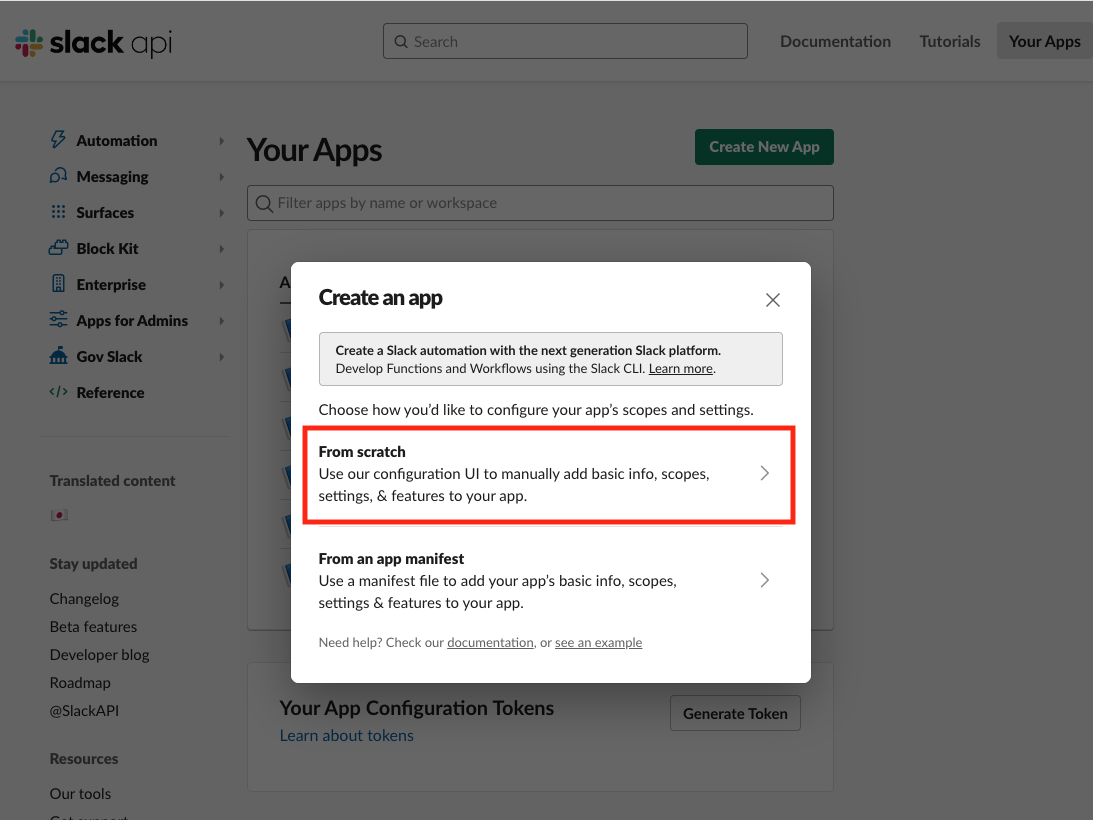
Click [Form scratch].
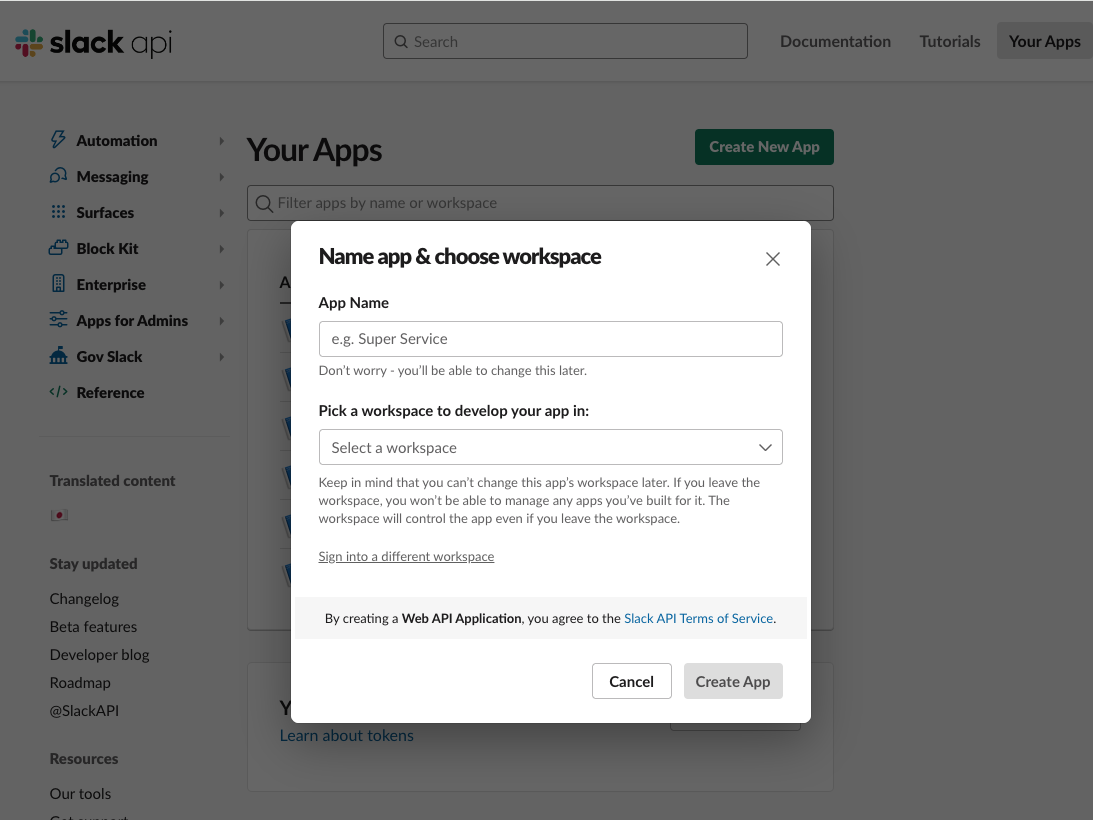
Select the name of your app in [App Name] and the Workspaces you want to use in [Pick a workspaces to develop your app in:]. Click Create App.
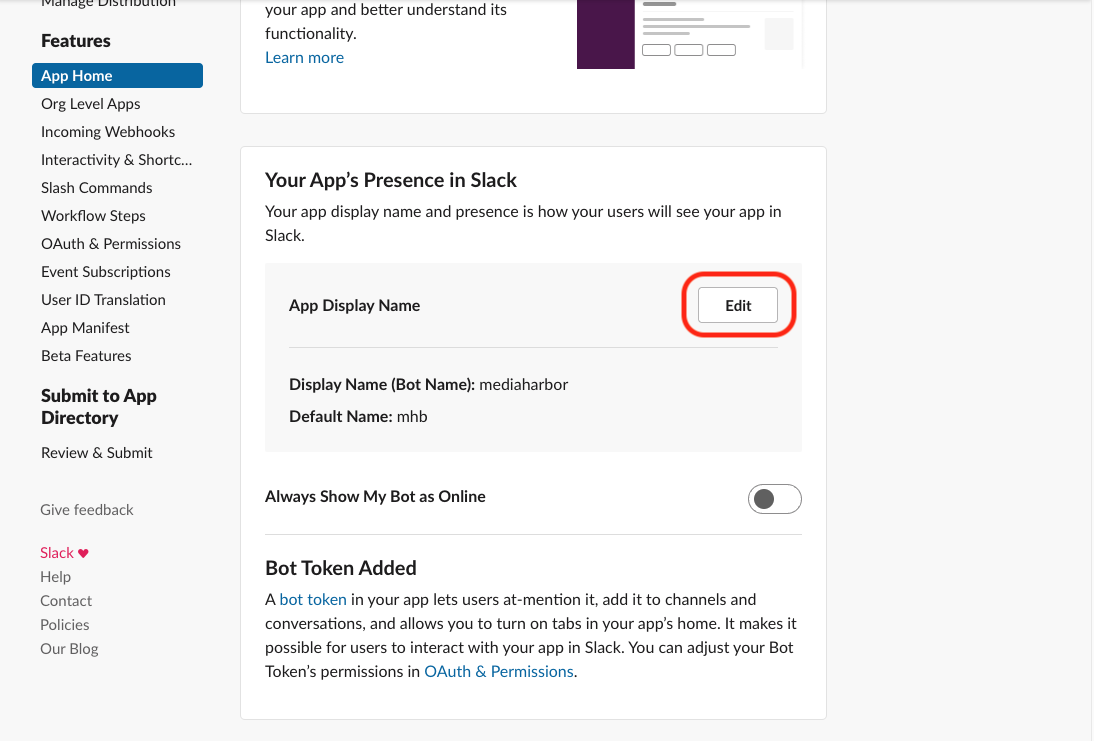
Click Edit next to [App Home] → [App Display Name].
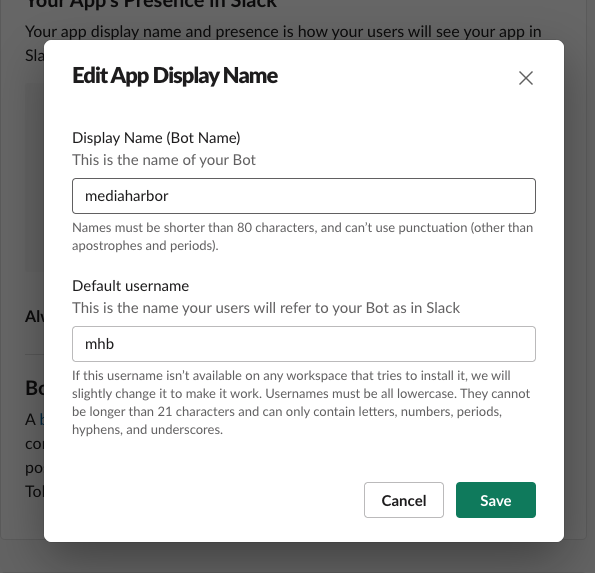
Enter [Display Name] [Default username] and click [Save].
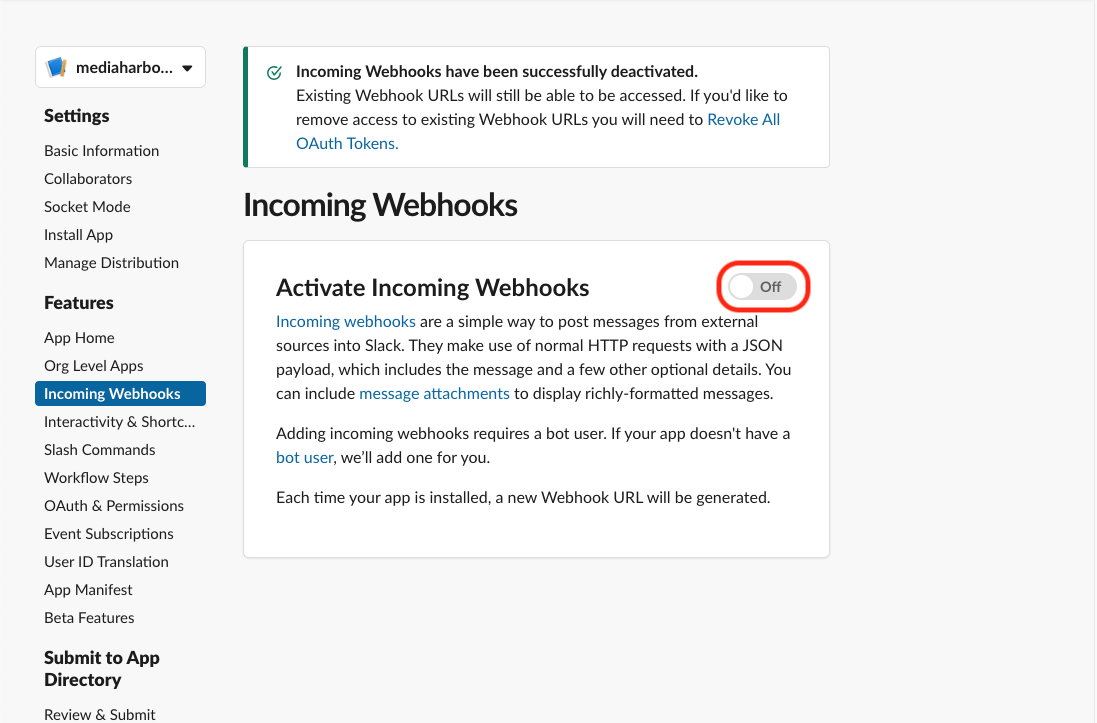
Press the toggle button for [Incoming Webhooks] → [Activate Incoming Webhooks] to turn it [On].
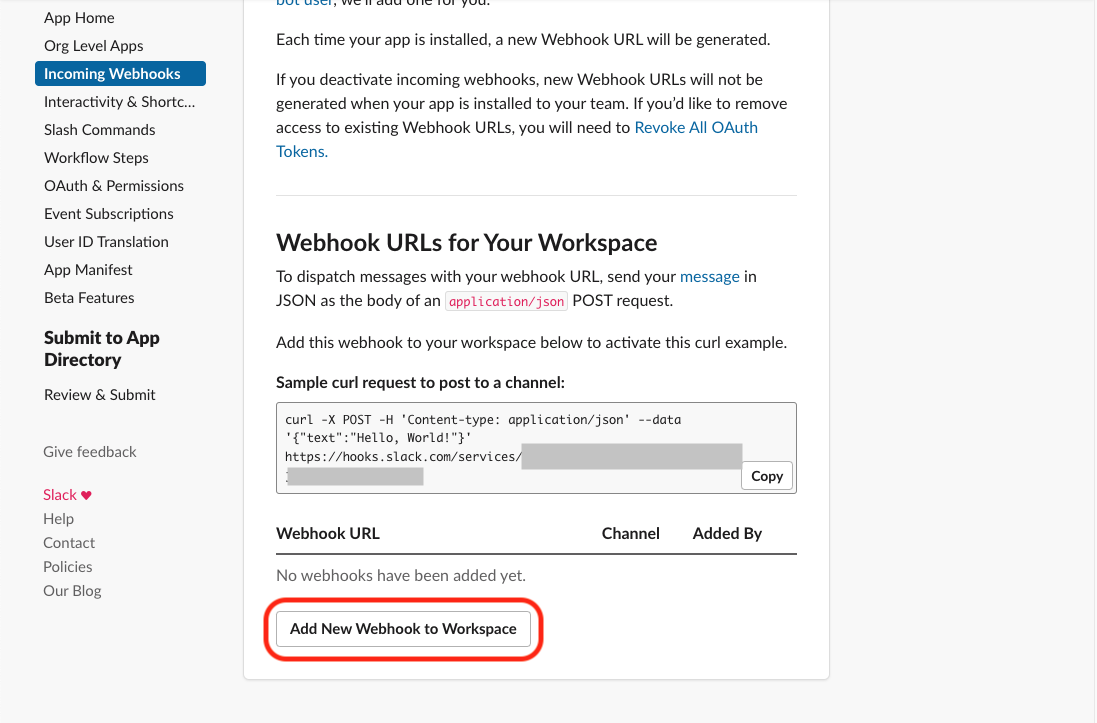
Click [Add New Webhook to Workspace].
Select the channel the app will post to and click [Authorize]
Copy the webhook URL that will be displayed.