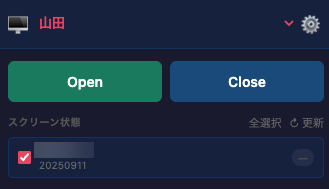
MHB Layout Switcher
OfficialChrome extension
Switch MediaHarbor screen layouts in one click, including layouts that do not consume points.
T
Traffic Sim Co., Ltd.
Overview
Chrome extension to switch MediaHarbor screen layouts with one click.
Installation
- Use the Download button at the top of this page to save
MHB-Layout-Switcher.zip. - Extract the ZIP to a folder of your choice. You should see a folder that contains
manifest.json. - In Google Chrome, open Extensions by visiting
chrome://extensions. - Turn on Developer mode (toggle in the upper-right).
- Click Load unpacked, then select the extracted folder from step 2 (the directory that contains
manifest.json).
If the archive unpacks into a single nested folder, pick the inner folder where manifest.json lives.