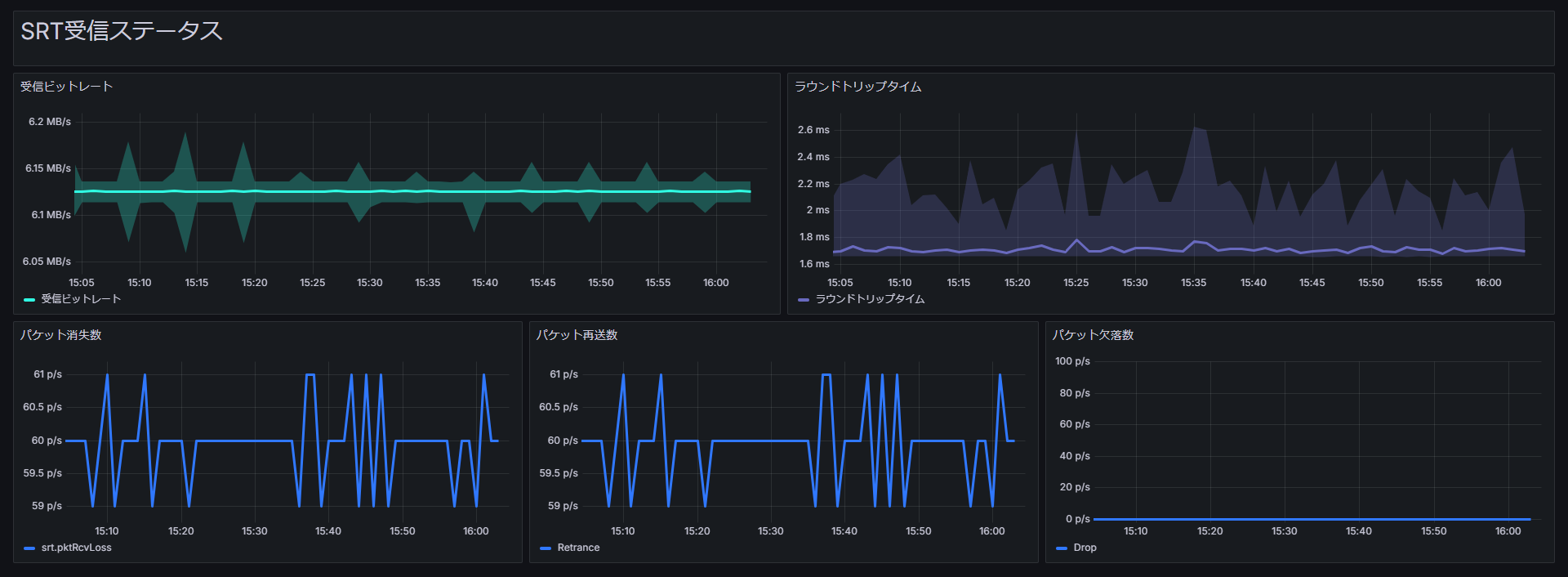
HACOBE-CLOUD SRT reception status template
OfficialDashboard layout
Dashboard for SRT reception status metrics from HACOBE-CLOUD.
T
Traffic Sim Co., Ltd.
Tip
This template requires HACOBE-CLOUD integration.


For CloudWatch setup and multi-instance notes, see the HACOBE-CLOUD TS status template page.
Grafana dashboard templates (shared instructions)
Download the JSON from the Download button at the top of this page.
Below are import steps for Grafana in MediaHarbor. For adding data sources or template-specific integration, follow the notes on each template page.
Note How to import templates
- Open the Grafana UI from MediaHarbor
System Settings>Dashboard Settings. - In the left menu, choose
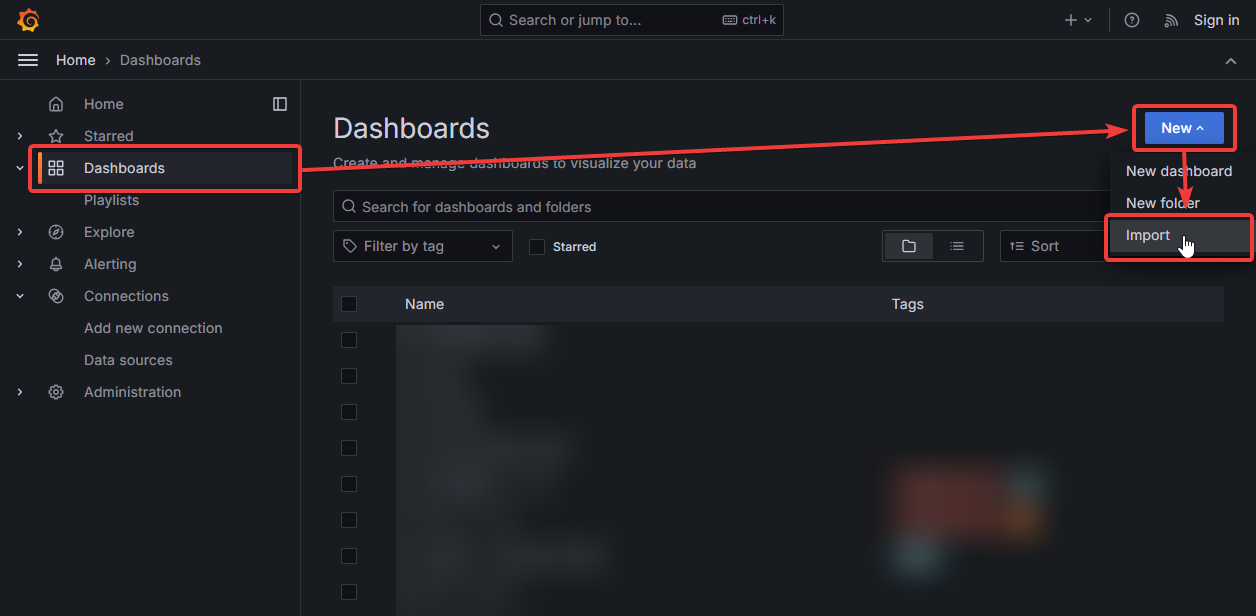
Dashboards>New>Import.
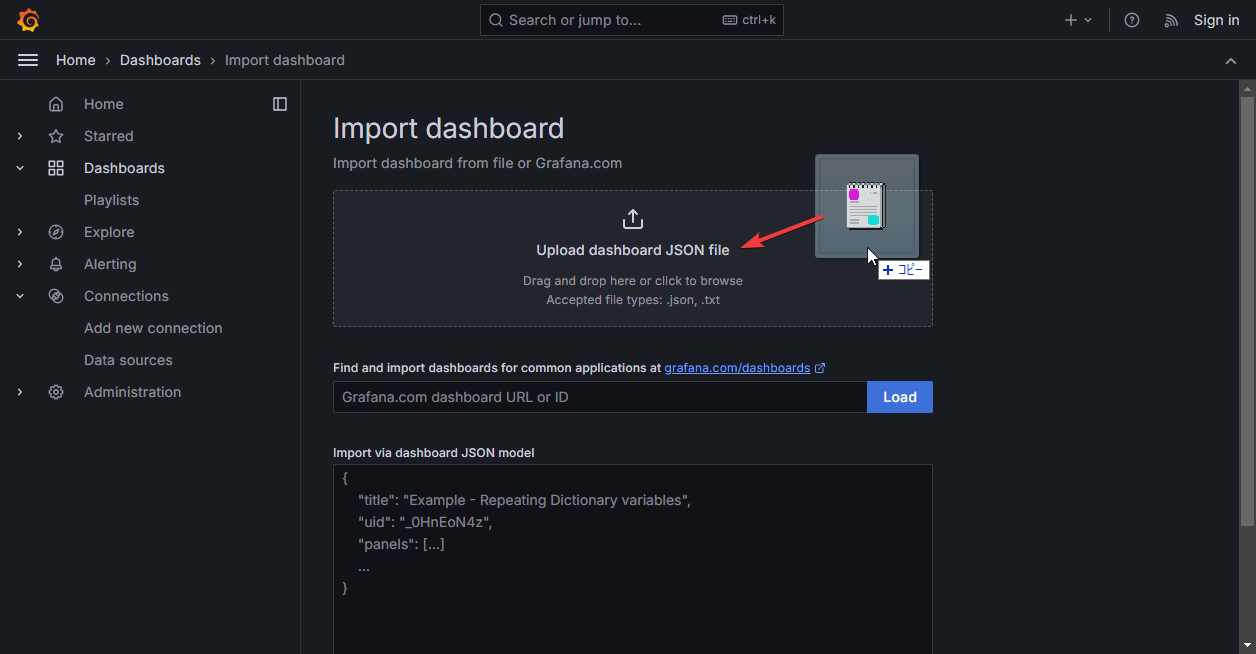
- Drop the downloaded template JSON file.
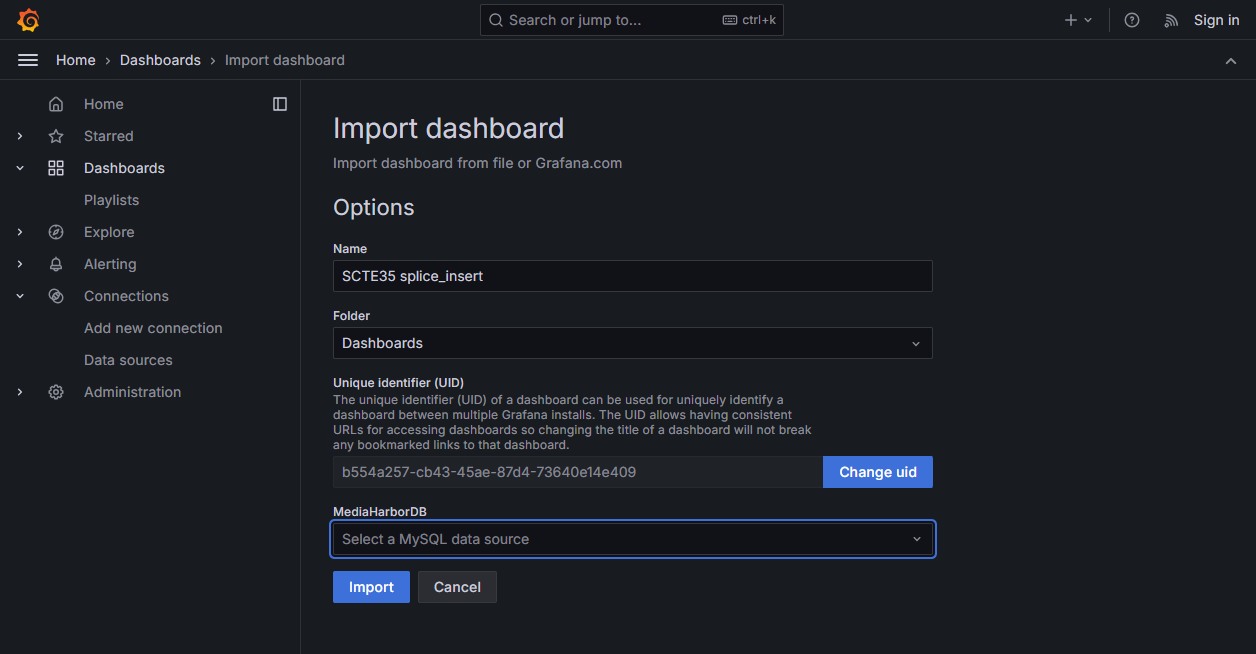
- Choose the dashboard name and data source, then click Import.
- After import, add or configure any required data sources as described on the template page.